
Best image-to-video AI: 8 models compared for animating photos
Kling 3.0, Seedance 2.5, Veo 3.1 Fast, MiniMax H3 and more compared for turning a photo into video: quality, length, audio, resolution and cost.
Image to video is the most controllable way to make AI video. Instead of hoping a text prompt produces the right face, outfit or product, you give the model the exact first frame and only ask it for motion. That is why most product ads, character stories and "bring this photo to life" clips start from an image.
On Luv Video there are eight image-to-video models. Here is how they compare and which to use.
Quick picks
- Best overall: Kling 3.0
- Longest clips: Seedance 2.5 (up to 30 seconds)
- Most realistic people: Veo 3.1 Fast
- Highest resolution and end-frame control: MiniMax H3 (up to 4K)
- Cheapest: Seedance 2.0 Mini, Kling 2.5 Turbo
Comparison table
| Model | Length | Resolution | Audio | Strength |
|---|---|---|---|---|
| Kling 3.0 | 3–15 s | — | Yes | Natural motion, keeps details |
| Seedance 2.5 | 4–30 s | 480p–1080p | Yes | Long, high-fidelity clips |
| Veo 3.1 Fast | 4, 6, 8 s | 720p–4K | Yes | Lifelike faces and speech |
| MiniMax H3 | 5–15 s | 480P–4K | No | First and last frame, 4K |
| LTX 2.5 Pro | 6, 8, 10 s | — | Yes | Quality-optimized |
| FLUX 3 | 5–20 s | — | Yes | Long clips with audio |
| Seedance 2.0 Mini | 4–15 s | 480p, 720p | Yes | Lowest cost |
| Kling 2.5 Turbo | 5 or 10 s | — | No | Fast and affordable |
Kling 3.0: best overall
Kling 3.0 is the model we recommend trying first. It keeps faces, clothing and products very close to your photo, its motion has believable weight, and you can choose any length from 3 to 15 seconds with synchronized sound. It is also priced well below the premium models, so it works for everyday volume.
Seedance 2.5: for longer clips
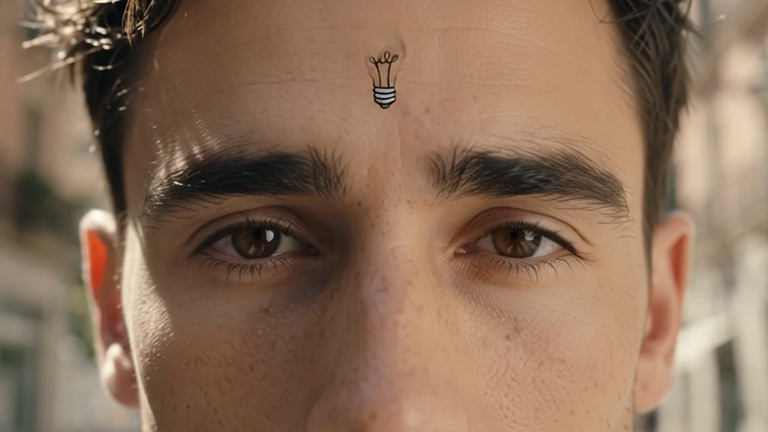
If you need one continuous shot longer than 15 seconds, Seedance 2.5 is the answer. It goes up to 30 seconds with audio, at up to 1080p. Longer clips cost more, so plan the shot first and test with a shorter duration.
Veo 3.1 Fast: for realistic people
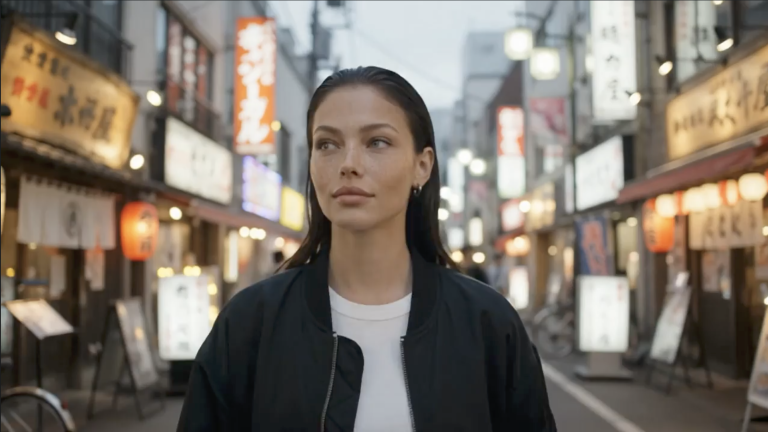
Google's Veo 3.1 Fast is the pick when your photo is a person and realism is everything, such as a creator talking to camera. It supports vertical and widescreen output up to 4K and generates natural speech and ambience.
MiniMax H3: for control and 4K
MiniMax H3 lets you set both the first and the last frame. Use it for transitions (day to night, before and after), product reveals, or any time the clip must end on a specific image. It also renders up to 4K.
How to get great results from image to video
- Use a sharp, well-lit image in the aspect ratio you want the video to be. Crop to 9:16 for TikTok and Reels.
- Describe motion, not the picture. The model already sees the image. Write what happens: "she turns to the camera and smiles, hair moving in the wind, slow push-in."
- Name the camera move. Push-in, pull-back, orbit, handheld, static. One move per clip works best.
- Keep it physically possible within the length. Five seconds is one action, not a whole story.
- Test cheap, finish premium. Try the idea with Seedance 2.0 Mini or Kling 2.5 Turbo, then render the final with Kling 3.0 or Veo 3.1 Fast.
Bottom line
Start with Kling 3.0. Move to Seedance 2.5 when you need length, Veo 3.1 Fast when the subject is a real-looking person, and MiniMax H3 when you need 4K or a fixed last frame. For a step-by-step walkthrough, read how to animate a photo with AI.
Frequently asked questions
What is the best AI for turning a photo into a video?
Kling 3.0 is the best all-rounder, Seedance 2.5 is best for long clips up to 30 seconds, Veo 3.1 Fast is best for realistic people, and MiniMax H3 is best when you need 4K or control over the last frame.
Will image to video keep my face or product the same?
Yes, much better than text to video. Your image is used as the first frame, so the face, clothes and product start exactly as they are in the photo.
What is the cheapest image-to-video model?
Seedance 2.0 Mini and Kling 2.5 Turbo are the lowest-cost options and are great for testing ideas before a final render.
Can I animate an AI-generated image?
Yes. Create the image with text to image, then send it to image to video. This is the most reliable way to get a specific look in motion.