
Veo 3 prompt guide: how to write prompts that work (with examples)
A simple formula for Veo 3 prompts, how to add dialogue and sound, camera and lighting terms that work, and 12 copy-ready example prompts.
Veo 3 rewards specific prompts. The same idea written vaguely and written well can look like two different models. This guide gives you a formula that works, the words that make the biggest difference, and examples you can copy straight into the text to video generator.
The Veo 3 prompt formula
Write your prompt in this order. You do not need every part every time, but the order helps the model understand what matters most.
- Subject: who or what is on screen, with two or three visual details.
- Action: one clear thing that happens.
- Setting: where, and when (time of day, weather).
- Camera: shot size and movement.
- Light and style: the look, such as golden hour, neon, documentary, 35mm film.
- Audio: dialogue in quotes, sound effects, ambience, music.
Example:
Adding dialogue and sound
Veo 3 generates audio with the video, which is its biggest advantage. To use it well:
- Put speech in quotes and say who says it: The man turns to the camera and says, "You have to try this."
- Keep lines short. An 8-second clip fits about one or two short sentences.
- Describe the voice if it matters: calm, excited, whispering, British accent.
- Name the ambience and effects: rain on a window, crowd noise, waves, keyboard typing.
- Ask for no music if you will add your own later.
Camera words that work
| You want | Write |
|---|---|
| Feel close to the subject | close-up, slow push-in |
| Show the whole scene | wide shot, static camera |
| Follow movement | tracking shot following her from behind |
| A creator-style video | handheld selfie video, phone camera |
| Something dramatic | low-angle shot, slow orbit around the subject |
| A reveal | pull-back revealing the city skyline |
Use one camera move per clip. Combining several moves in 8 seconds usually looks messy.
Lighting and style words
- Natural: golden hour, overcast daylight, soft window light
- Moody: neon reflections, low-key lighting, candlelight
- Commercial: bright studio lighting, clean white background
- Film looks: 35mm film grain, anamorphic lens flare, documentary style
- Social: vertical phone footage, UGC style, natural and unpolished
12 example prompts
UGC and ads
- Vertical phone video. A woman in her 20s in a sunny kitchen holds a green smoothie to the camera and says, "Three weeks of this and I'm never going back." Handheld, natural light, casual and authentic.
- Close-up of hands opening a matte black skincare box on a marble counter, slow push-in, soft studio light, satisfying unboxing sounds.
- A man jogging at sunrise along a beach, tracking shot from the side, golden light, waves and steady breathing, he glances at his smartwatch and smiles.
Cinematic
- Wide shot of a lone astronaut walking across red desert dunes, slow pull-back, dust in the wind, deep rumbling ambience, epic and quiet.
- Rain-soaked Tokyo alley at night, neon signs reflecting in puddles, a woman in a red coat walks toward the camera, tracking shot, cinematic 35mm look, rain and distant traffic.
- Close-up of an old fisherman's weathered face in a storm, low-angle, cold blue light, crashing waves, he says quietly, "We're going back out."
Social and fun
- A golden retriever wearing sunglasses rides a skateboard down a sunny boardwalk, tracking shot, upbeat summer vibe, wheels rolling on wood.
- Static shot of a tiny cat chef stirring a pot in a miniature kitchen, warm light, cozy, bubbling sounds.
- A grandmother looks at the camera and says, "Back in my day we didn't need Wi-Fi," then winks, living room, handheld, natural light.
Product and B-roll
- Macro shot of coffee beans falling in slow motion onto a wooden table, warm side light, crisp sound of beans landing.
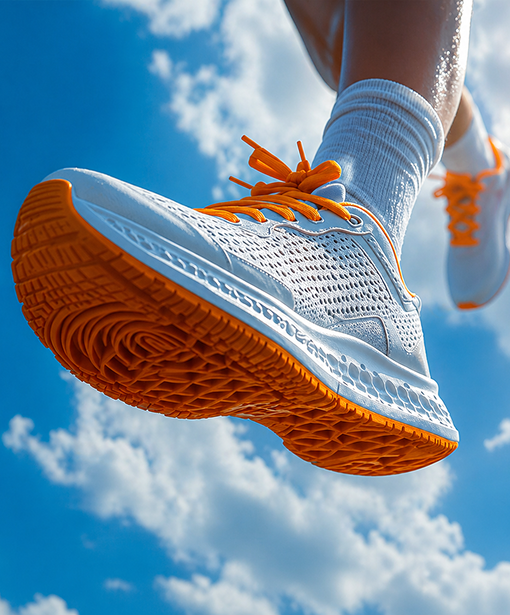
- A sleek white sneaker rotating on a floating platform, slow orbit, clean studio lighting, soft whoosh.
- Aerial drone shot over a turquoise lagoon at sunrise, slow forward movement, gentle wind and birds.
Common mistakes
- Too many actions. "She wakes up, makes coffee, drives to work and gives a talk" is four clips, not one.
- Conflicting styles. "Anime, photorealistic, black and white neon" confuses the model.
- Long dialogue. A paragraph of speech will not fit in 8 seconds.
- No camera direction. Without it you get a generic medium shot.
Save credits while you iterate
Draft with Veo 3 Fast at 720p and 4 or 6 seconds until the prompt is right, then render the final with Veo 3 at 1080p. If the shot needs a specific person or product, generate a still with text to image and animate it with image to video instead.
Frequently asked questions
How do I write a good Veo 3 prompt?
Describe the shot in this order: subject, action, setting, camera, lighting and style, then audio. Keep it to one scene and one main action per clip.
How do I make a character speak in Veo 3?
Write the line in quotes and say who speaks it, for example: The woman looks at the camera and says, "This changed my morning routine." Keep lines short enough to say in the clip length.
How long should a Veo 3 prompt be?
Usually 40 to 120 words. Long enough to set subject, action, camera, light and sound, short enough that every detail matters.
Why does Veo 3 ignore part of my prompt?
Usually because the prompt asks for too much in one clip. Split it into separate shots, put the most important detail first, and remove conflicting styles.