ABOUT THIS PRESETPrompt built in
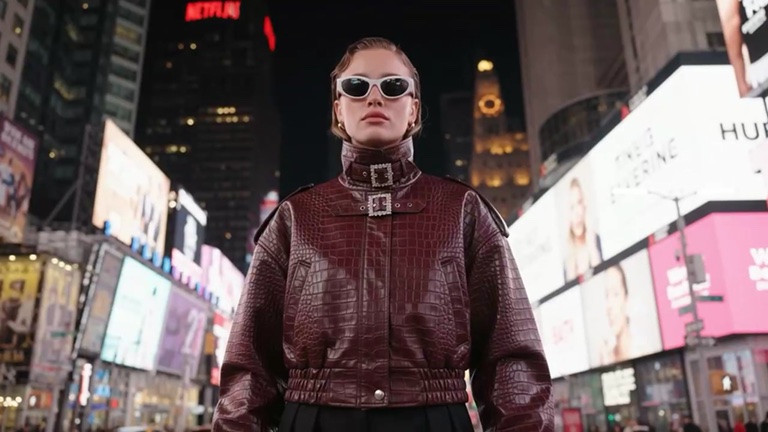
In white sunglasses you stand among Times Square’s glowing billboards as your outfit keeps switching: a burgundy leather jacket, a green hoodie, a pink hoodie, a black trench and a red-striped moto jacket.
Add a clear photo of yourself — the look, motion and style are built into this preset.
RESOLUTIONGemini Omni Flash
ModelGemini Omni Flash
CollectionPresets
OutputVideo
Duration10s
Aspect ratio16:9
- Upload a clear, well-lit photo for the preset.
- Pick a resolution.
- Tap Recreate and download your video when it’s ready.
Do I need to write a prompt?
No. The prompt for Times Square Fashion is built in, so you only add your photo.
What photo works best?
A sharp, well-lit photo of the subject you want in the video. Good light and a clear view of the subject give the most natural result.
What do I get?
A 10-second 16:9 video. Paid plans include commercial use.
What if it fails?
Failed generations are refunded automatically, so the credits go straight back to your balance.